
Blind signing is the moment you approve a transaction without knowing what it actually does. In the NFT world, this single habit is responsible for countless stolen wallets and drained collections. You click a button that looks like a mint or a claim, your wallet asks you to confirm, and you press approve. What you never saw was the hidden instruction that gave a stranger permission to take every NFT you own. This guide will show you exactly how to stop doing that, in plain language, with steps you can take today.
The core problem is simple. Your wallet shows you a screen with some code, a contract address, or a vague message. You do not understand it. But you want the NFT, so you sign anyway. Scammers build fake mint pages and phishing sites specifically to take advantage of this moment . They know most people will not read the technical details. They are counting on it.
Why NFT Blind Signing Is So Dangerous?
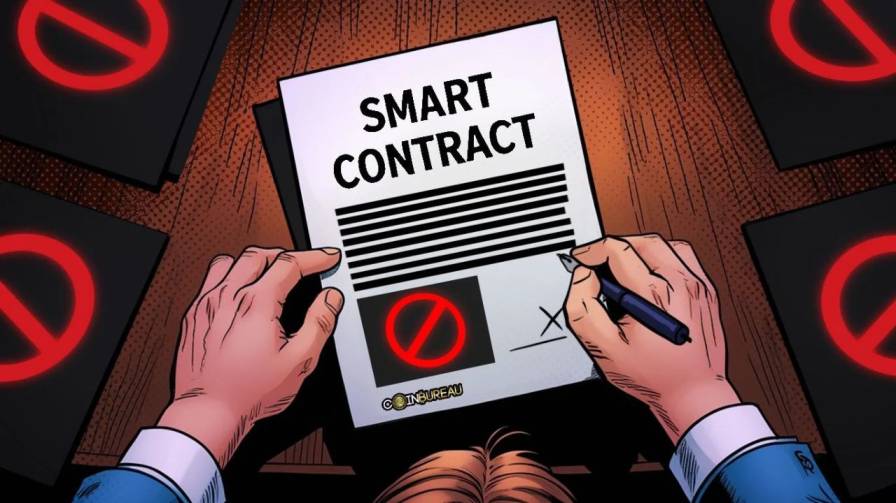
Not all transactions carry the same risk. A simple transfer of one NFT from your wallet to a friend is easy to understand. But NFT platforms often ask you to sign something called setApprovalForAll. This is a permission slip. When you sign it, you are telling the blockchain: "This address is now allowed to move any NFT from my wallet, whenever it wants." .
A legitimate marketplace might need this permission to let you list items for sale. But a scammer uses the exact same function to steal everything. The screen on your wallet might just say "Approve" or show a string of letters and numbers. If you do not know what setApprovalForAll means, you will not see the difference between a safe listing and a full wallet giveaway. Once you sign, the scammer can wait for months before taking your NFTs. They might let you buy more first, then clean you out in one silent transaction .
This is why the rule is absolute: if you cannot read and understand what the transaction will do, you do not sign it .
Read Also: NFT Investment Strategy: Guide to Smarter Digital Asset Trading
The Tools That Show You the Truth Before You Sign
The good news is that you do not have to become a blockchain developer to protect yourself. Several tools exist that translate the hidden code into plain English before you approve anything.
Use a Wallet With Transaction Simulation
Rabby Wallet is one of the most widely recommended options for this. Before you sign, Rabby runs a simulation of the transaction and shows you exactly what will happen . It displays your balance changes: how many NFTs or tokens will leave your wallet, and how many will come in. If a site tells you that you are "claiming a free NFT" but the simulation shows a transfer of your assets out of your wallet, you will see that clearly and can stop .
Rabby also scans for specific danger signs. It checks whether the contract asking for permission is brand new (created within the last three days), whether it has any history of being trusted, or whether the address is a personal account rather than a legitimate contract. These are common footprints of a scam . If the risk is high, the sign button is disabled until you review the warnings.
Pocket Universe and Similar Extensions
Pocket Universe is a browser extension that works alongside your existing wallet. It simulates transactions and shows you a preview of what will happen, flagging known malicious contracts and fake NFT listings . You do not have to switch wallets entirely. You install the extension, and it adds a layer of warning before you confirm anything.
What About Hardware Wallets?
A hardware wallet like a Ledger or OneKey keeps your private keys offline, which is excellent for storage. Some models display transaction details on a secure screen, which helps you verify what you are signing . However, a hardware wallet does not automatically solve blind signing. If you still press confirm without reading the screen, or if the screen shows data you do not understand, you are still blind signing. The device is a tool for verification, not a replacement for your own attention.
How to Check and Fix Permissions You Already Gave?
If you have been minting NFTs or using marketplaces for a while, you have probably already signed permissions you forgot about. A permission does not expire on its own. It stays active until you revoke it . This means an old approval from six months ago could still be used to drain your wallet today.
The fix is straightforward. Go to a site called Revoke.cash and connect your wallet. It will show you a list of every contract that currently has permission to move your tokens or NFTs. Look through the list. If you see a contract you do not recognize, or one from a marketplace you no longer use, revoke it. This takes a few minutes and costs a small gas fee, but it closes the door on old risks .
Make this a habit. Check your approvals once a month, or at least after you try a new NFT site. Think of it like checking your bank statements for charges you did not make.
A Simple Wallet Setup That Limits the Damage
One of the most effective protections has nothing to do with software. It is about how you organize your wallets.
Keep your valuable NFTs in a separate wallet from the one you use for minting and experimenting. Your main wallet, the one holding the NFTs you care about, should never connect to a new or unknown site. It should never sign a transaction from a marketplace you just discovered. It stays offline or unused for anything risky. This is your vault .
Then, create a second wallet. Fund it with only the amount of cryptocurrency you are willing to spend on mints and gas fees. Use this second wallet for every new NFT project, every experimental platform, every link you click. If a scammer drains this wallet, you lose only what you put in it that day. Your main collection remains untouched because it was never connected to the dangerous site in the first place.
This one habit would prevent the vast majority of NFT thefts. It costs you nothing except a few minutes to set up a new wallet address.
You May Also Like: Bitcoin Ordinal NFT: Everything You Need to Know
What to Do When You Are Unsure?

Even with tools and good habits, you will sometimes face a transaction you do not fully understand. Maybe the simulation failed. Maybe the site is new and has no reputation. Maybe the wallet screen is showing raw data instead of a clear description.
In those moments, the safest action is to stop. Do not sign. Close the tab. Walk away. The NFT you are trying to mint is not worth the risk of losing everything else. Legitimate projects will still be there tomorrow. A transaction that cannot be clearly explained is a transaction you should not approve .
The Ethereum Foundation and wallet developers are working on a standard called Clear Signing that will eventually make every transaction display a plain, human-readable description of what it does . Until that becomes universal, the responsibility is on you to use the tools that exist and to trust your own judgment. If something feels unclear, it is unclear for a reason.
A Short Checklist Before You Sign Any NFT Transaction
Before you press the approve button on any NFT site, run through these questions in your head. Does the wallet screen show me what will happen in words I understand? Am I using my main wallet, or my safer second wallet? Have I seen a simulation that confirms the outcome matches what the site claims? If the answer to any of these is no, do not sign.
Blind signing is not a technical problem that requires technical knowledge to solve. It is a habit problem. The fix is to slow down, use the tools that show you the truth, and accept that no NFT is worth the risk of a drained wallet. Once you build that habit, scammers lose their easiest way in.